CUT//CLEAREDITORIAL RELEASE ENGINE
Before the cut goes out.
Review the supplied authority, resolve editorial findings, check the revision and preserve the human release decision.
Follow the editorial workflow
A background label. An unreleased prop. A revealing frame.
Understand what surfaced—and what your team should do next.
For production, publicity, clearance
and release operations.
A routine behind-the-scenes photo can carry more information than its creator intended. A screenshot in a chat rarely tells your team what is protected, which reference matters or who owns the next decision.
Select a detail. See how evidence changes the question.
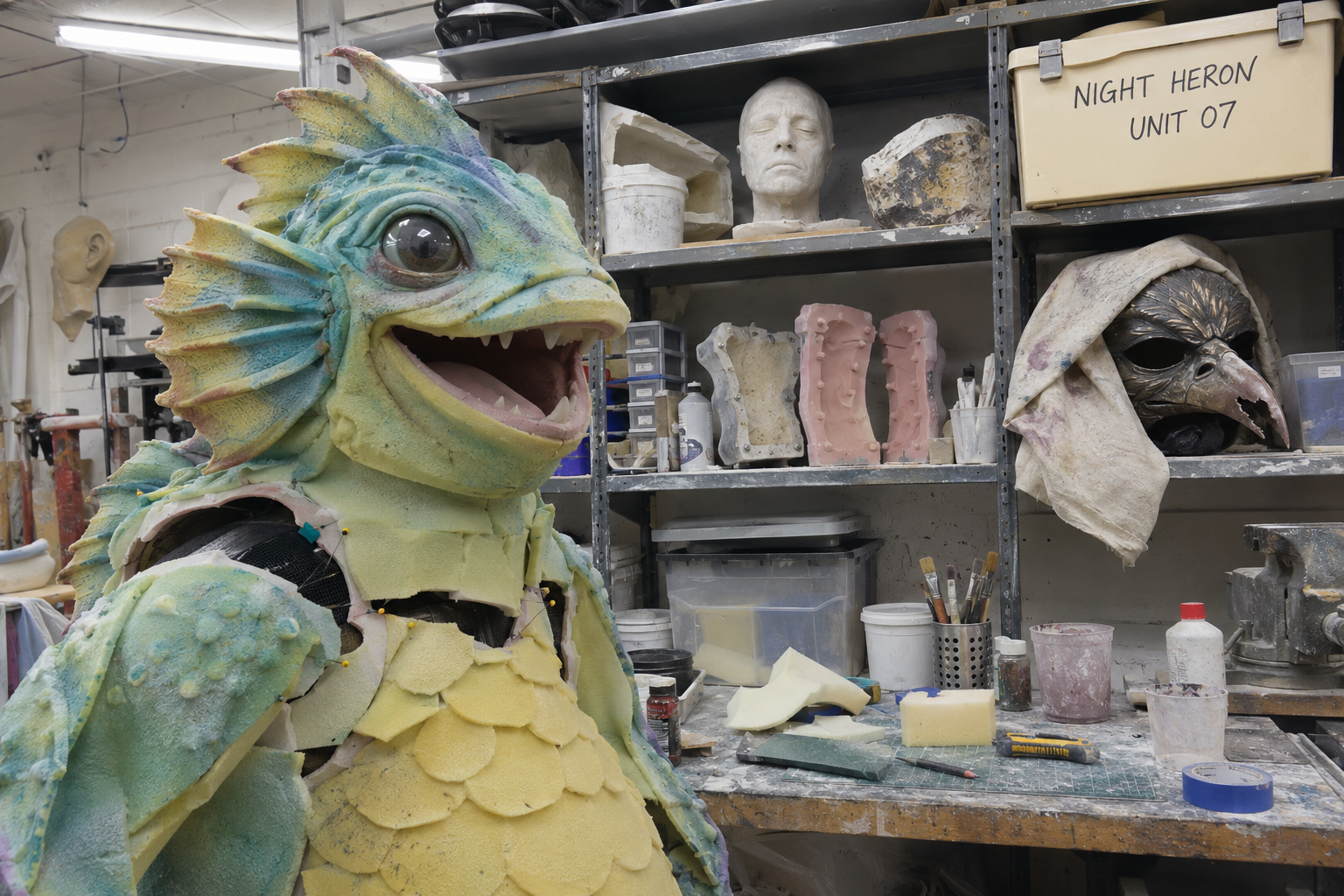 GENERATED PHOTO / AUTHORED CLUES
The box reads “NIGHT HERON / UNIT 07.” The fictional production brief restricts both terms.
Fictional scenario, generated imagery and authored findings. No model analysis ran for this example. It is not a real production or a verified leak.
Choose a review question. Inspect a stored workspace screenshot, the uncertainty and the next decision.
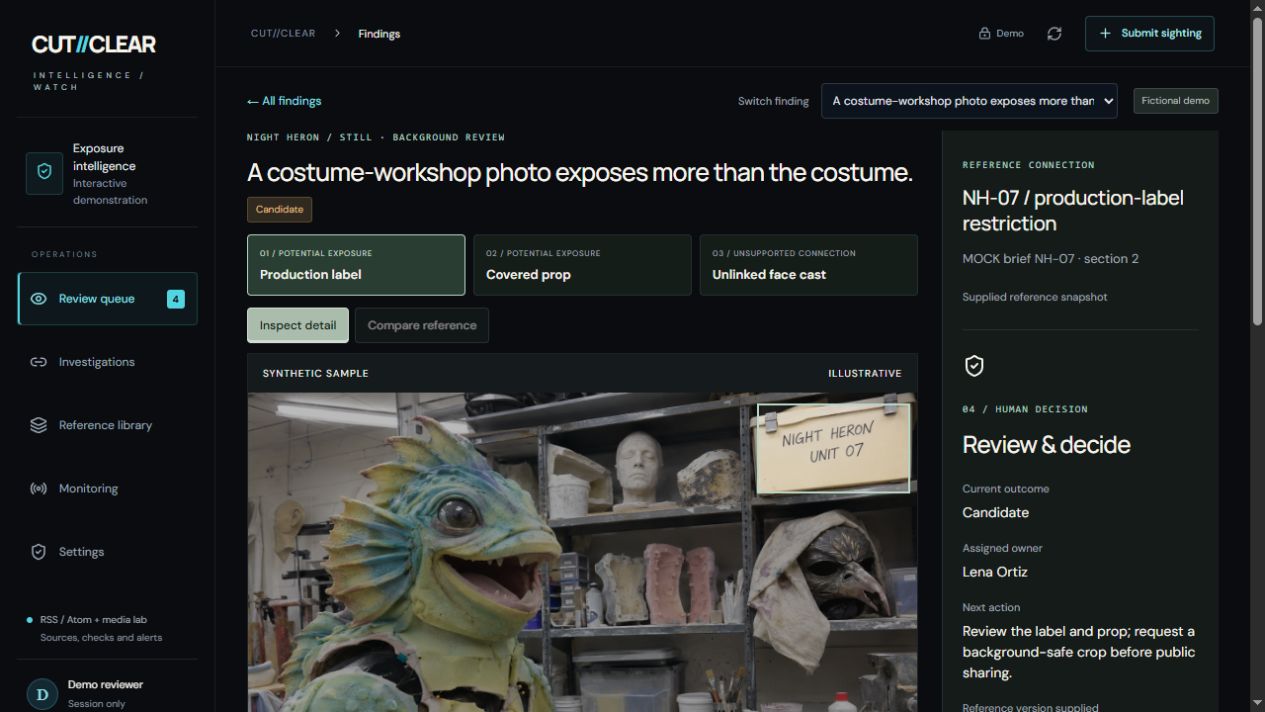 Open this screenshot
A workshop label and a covered prop appear behind a costume. Which details connect to protected material?
Inspect each region against the supplied brief. Ask clearance to confirm the label; request an authorized prop reference.
A focused review request, with uncertainty preserved and a safer crop to consider.
Actual product interface. All five cases use fictional campaigns, generated illustrations and authored findings—not live detections or customer results. Select a case, then open its screenshot at full size. These are stored workspace captures, not an interactive application.
Source / Evidence / Reference / Uncertainty / Owner / Decision
Review the supplied authority, resolve editorial findings, check the revision and preserve the human release decision.
Follow the editorial workflowInspect the sighting, examine its possible connection to protected material and put the next decision with the right person.
Explore the investigation examples“Does what appeared match
what we intended to release?”
A behind-the-scenes image. A reported clip. A protected design. Walk through what a useful investigation would need to establish.
Request a WATCH walkthroughExplore the examples firstSources and inspection. Configured public RSS/Atom feeds are checked when triggered. Review supplied photos and sampled video frames. Azure visual inspection requires configuration and explicit submission; detection accuracy needs validation on your material.
Comparison and alerts. Manual image and MP4 comparison is available. Newly selected reference media stays in the browser session. In-app alerts are supported; external webhook delivery needs configuration and an explicit send.
Human control. Reviewers decide whether a concern is confirmed, dismissed or needs more evidence. WATCH does not continuously scan every social platform, identify people from face casts or automatically issue takedowns.